Intermediate Lesson 1
Cessna 172 Skyhawk · Normal Procedures
Overview
This document is an instructional training material designed for pilots and students learning to operate the Cessna 172. It covers essential skills and knowledge required for flying this aircraft, including familiarization with the glass cockpit, vital speeds, and emergency procedures. The content is structured to guide new pilots through the learning process, emphasizing the importance of the Pilot Operating Handbook (POH) and the specific characteristics of the Cessna 172. The document is intended for educational purposes and should not be used as a substitute for professional flight instruction.
- Oil Capacity: 8 quarts
- Fuel Capacity: 56 gallons
- Engine: 180 HP
- Stall Speed Full Flaps: 48 knots
- Cruise Speed: 124 knots
- Takeoff Ground Roll: 960 feet
- Landing Ground Roll: 575 feet
Document
Source
Originally published by forums.flightsimulator.com. Sprinkle hosts a reference copy with an added summary, specifications and searchable full text.
Document details
- Type
- Normal Procedures
- Pages
- 40
- File size
- 3.9 MB
- Publisher
- forums.flightsimulator.com
Specifications & performance
Extracted from this document.
Specifications
- Range (nm)
- 640
- Engine (hp)
- 180
- Max speed (kt)
- 124
- Cruise speed (kt)
- 124
- Fuel capacity (gal)
- 56
- Rate of climb (fpm)
- 730
Performance
- Landing distance (ft)
- 575
- Takeoff distance (ft)
- 960
- Best glide speed (kt)
- 68
- Stall speed landing (kt)
- 48
V-speeds
- VR
- 55
- VX
- 62
- VY
- 74
Weight & balance
- Baggage allowance (lb)
- 120
Most owners only have the POH. Here's the essential set for the Cessna 172 Skyhawk.
- Pilot's Operating Handbook / AFM
- Checklist
- Maintenance Manual
- Parts Catalog (IPC)
- Systems & Wiring
- Service Bulletins
- Type Certificate (TCDS)
Cessna 172 Skyhawk for sale now
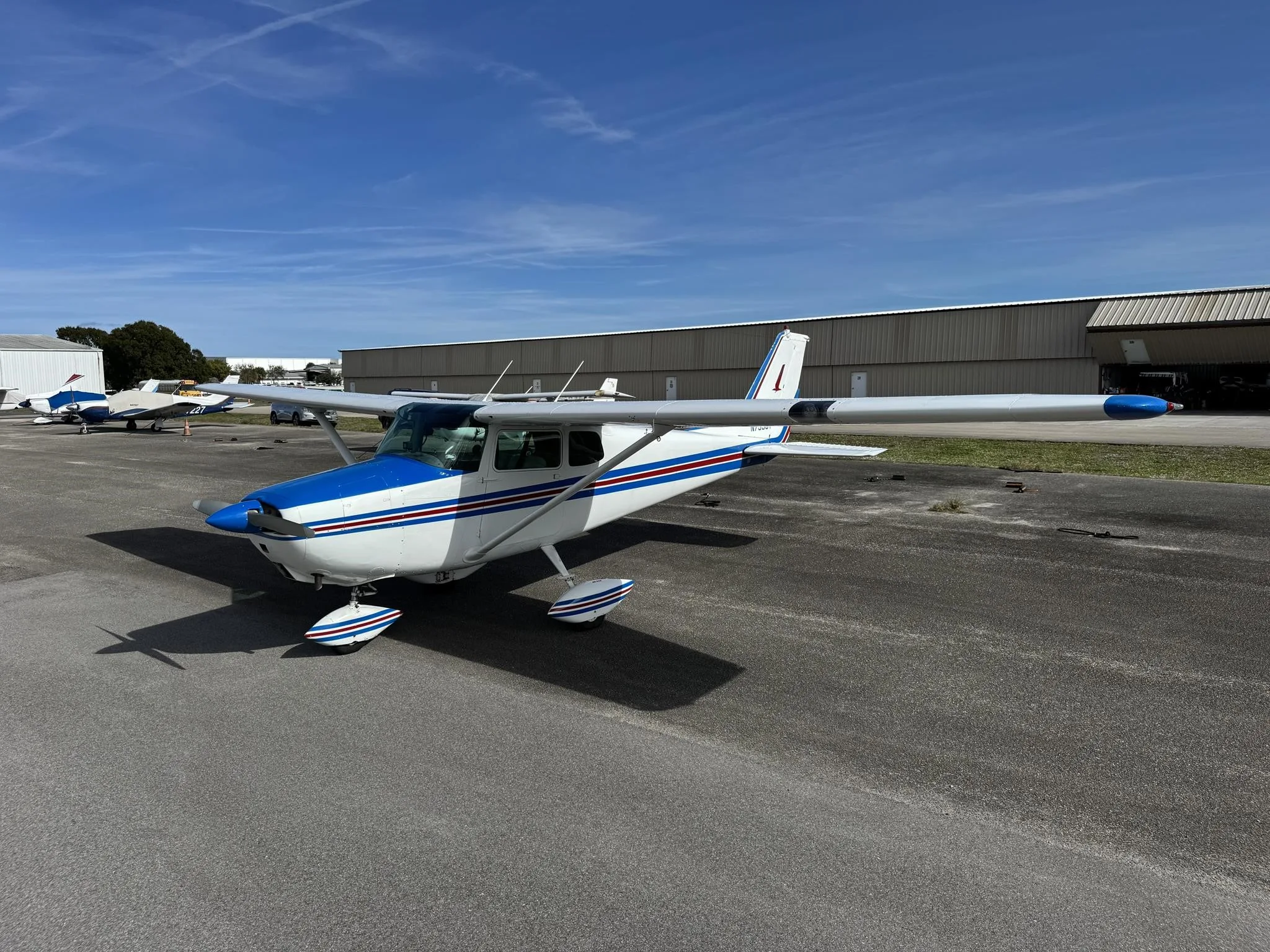


Free — save the 172 Skyhawk to your watchlist and track it in one place.
More Cessna 172 Skyhawkmanuals & documents
See all 15 →- Reality Expansion Pack for Laminar Cessna C172SP SkyhawkSystems Description
- Cessna 172 Training SupplementTraining Manual
- M-3 Operations ManualTraining Manual
- SkyView Airplane Flight Manual SupplementFlight Manual
- SkyView HDX System Fuel Flow Sensor and Mounting Bracket Installation GuideAvionics Manual
- Textron Aviation Safety InitiativeAirworthiness Directives
- CESSNA 172S SKYHAWK NORMAL CHECKLISTSChecklist
- AAIB Bulletin: 8/2016Service Bulletins
- Service Bulletin No. / Date: TM TAE 000-0007, Revision 28 / February 05, 2015Service Bulletins
- Supplemental Flight Manual No. 3Supplemental Type Certificate
- Float Plane Training ManualTraining Manual
- Cessna 172 illustrated parts catalog pdfParts Catalog
If you fly the Cessna 172 Skyhawk, you may also be researching these.


In this document
New Airplane Familiarization
The document emphasizes the importance of familiarizing oneself with the new airplane, particularly the glass cockpit and its functionalities. Pilots are encouraged to learn vital speeds such as takeoff, landing, and cruise speeds, and to understand the aircraft's systems.
Vital Speeds and Specifications
Key specifications for the Cessna 172 include an oil capacity of 8 quarts, fuel capacity of 56 gallons, and a 180 HP engine. Important V speeds include a stall speed with full flaps of 48 knots, takeoff ground roll of 960 feet, and a landing ground roll of 575 feet. The cruise speed is 124 knots with a range of 518 nautical miles.
Checklist and Procedures
The document stresses the necessity of obtaining the POH and creating a checklist for the aircraft. It also highlights the need to learn about the cockpit layout and the functions of various instruments, particularly in the context of the G1000 glass cockpit.
Emergency Procedures
Pilots are advised to be familiar with emergency procedures and how to handle situations such as instrument failures. The document encourages understanding the backup systems available in the G1000 cockpit.
Safety notes
- This document is for entertainment purposes only and should not be used as a substitute for professional instruction.
Full document text
Intermediate Lesson 1 Pilot IRL and Course Designer For entertainment purposes only. Not to be used as a substitute for professional instruction. Take against a green background or pure white Intermediate Lesson 1 Instructor Students Airplane Airfield KPAE, Everett, WA Microsoft Flight Simulator Community Manager ForderLearnToFly Howard All graphics and sounds are original or royalty paid. These lessons are made specifically for Jayne @Microsoft by Howard Forder. Pilot IRL Take against a green background or pure white Flight Lesson 14 Ensure you grab your student training materials kit with the links in chat. Includes your new checklists. One link for a group of materials: !studentkit2 !Checklist172 !material -URL for online material online Take against a green background or pure white Skills to learn in the first Intermediate flying lesson: -New Airplane Familiarization • Glass Cockpit • New Airspeeds There is a lot to learn in a new airplane. Take against a green background or pure white 1. Obtain the Pilots Operating Handbook (POH) 2. Learn the vital speeds (V speeds) such as take off, landing and cruise speeds. 3. Learn how to handle twin engines if equipped. 4. Get/Make a Checklist 5. Learn about the “blue knob” 6. Cockpit orientation. 7. Take it for a spin and get to the practice area at altitude to get comfortable with it. We will go through these steps in this session Take against a green background or pure white • You have to memorize new V speeds and get the appropriate POH. You also need to learn how to interpret a “Glass Cockpit” with the G1000 Suite. Take against a green background or pure white A whole new checklist, POH, emergency procedures and V-speeds to memorize. Get that POH out because there is a whole lot of reading to do now. 4 seats instead of 2. Cessna 172 Specifications -1956 to present -44,000+ built -In most flying schools -Derived from the C170 -Developed into the Cessna 175 Skylark -4 seats, high wing -Called the “Skyhawk” -640 nm range -Cruise at 124 kts Take against a green background or pure white 1. Obtain the Pilots Operating Handbook (POH) Included in your !StudentKit2 Take against a green background or pure white 2. Learn the vital speeds (V speeds) such as take off, landing and cruise speeds. Oil Capacity: 8 quarts Fuel Capacity: 56 gallons Engine: 180 HP Baggage Allowance: 120 pounds Stall Speed Full Flaps: 48 knots Takeoff Ground Roll: 960 feet Landing Ground Roll: 575 feet Vr 55 knots Vx 62 knots Vy 74 knots Glide: 68 knots Cruise: 124 knots Range: 518 NM for 4.26 hours at 75% power. Rate of Climb Sea Level 730 FPM Take against a green background or pure white 3. Learn how to handle twin engines if equipped. 4. Get/Make a Checklist 5. Learn about the “blue knob Included in your !StudentKit2 Take against a green background or pure white 6. Cockpit orientation. Take against a green background or pure white All the same functionality as conventional gauges but displayed on a glass display. Hence the name, “Glass Cockpit” You only need one as the other is a backup or your moving map and engine status. Take against a green background or pure white Depending on how much you spend, each LRU module adds specific functionality such as the communication radios. Take against a green background or pure white Many modules have a specific display for their data, but can be shared between the two displays for redundancy. Take against a green background or pure white In the event that a specific LRU malfunctions, you would see a red X through the appropriate display section. Take against a green background or pure white 1. Every aircraft could have a few gauges or a lot of gauges depending on who owned it and how much they spent on instrumentation. 2. But the basic SIX-PACK is necessary for all phases of flight. We will go into more detail with these primary gauges Take against a green background or pure white Take against a green background or pure white Know how to adjust your altimeter setting Take against a green background or pure white Take against a green background or pure white Flight Plan Functions AutoPilot Functions SoftKeys (can change with each menu) Take against a green background or pure white Take against a green background or pure white The audio panel sits in the middle of the two displays and handles all voice and audible communications. Conventional audio panel Listen to morse code of a VOR to confirm Many of these buttons don’t work yet in the simulator The white arrows indicate active coms for speaking and listening The LRU Take against a green background or pure white What is this RED Button used for? It's important for at least 3 reasons: 1. PFD is blank, push button to get PFD data on MFD. 2. MFD is blank, push button to get engine instruments on PFD. 3. Both displays are working but showing the PFD display with engine instruments. Push button to return to normal. In addition, the system may detect faults on its own to switch to revisionary mode as well. Take against a green background or pure white In the event that your PFD and MFD malfunction, you can use your backup instruments to safely continue. Take against a green background or pure white While Jayne and Howard head out to the airplane please direct your questions in chat to her fellow students on live mics. They will convey your questions upon their return. A 3rd party free download to pass control of the airplane back and forth. Take against a green background or pure white !Manual (FAA online docs) -New Airplane Characteristics -G1000 Orientation Comments from students Comments from chat A lot of information to review from a new airplane to the whole G1000 glass cockpit. Take against a green background or pure white 1.What is the main difference between the 172 compared These are directed questions at the student pilots in this session. Chat questions will be addressed after this. Take against a green background or pure white
Show full textShow less
2. Is the G1000 glass cockpit more intuitive or harder to learn? What are your impressions? Each student can share their thoughts on this new airplane and it’s characteristics. Chat can too. Take against a green background or pure white 3. Would the PFD work if the main battery were to die? 4. Can the Cessna 172 climb any higher than the 152? Why or why not. Where is this answer? Take against a green background or pure white 5. What can you do if the PFD goes black? Take against a green background or pure white 6.How is the Heading Indicator and Artificial Horizon more dependable in the G1000 glass cockpit? Take against a green background or pure white 7. What are the colored vertical stripes on the speed indicator in the G1000? Take against a green background or pure white Intermediate Lesson 1 -Practice Runup, taxi, takeoff and landing in your new airplane. -Get comfortable with the G100 glass cockpit -Read a section of your POH each week Take against a green background or pure white Intermediate Lesson 1 1. What would be the time, fuel and distance to climb to 6000 feet from sea-level in standard conditions? 2. Then, at 6000’ and standard conditions, what will your cruise speed, gallons per hour and range be? Take against a green background or pure white Intermediate Lesson 1 Take against a green background or pure white Intermediate Lesson 1 Come join the discussions and continue the conversation on the student hub for this lesson series with Jayne and Forder. Add your thoughts, your knowledge and your enthusiasm for learning a deeper understanding of flight using Microsoft Flight Simulator. New Xbox Flyers welcome. We welcome CFIs, real-life student pilots, flight enthusiasts and those new to flight simulation. Intermediate Lesson 1For entertainment purposes only. Not to be used as a substitute for professional instruction. Pilot IRL and Course Designer