AFMS N°D07 FOR GARMIN GFC700 AUTOPILOT AND VARIABLE PITCH PROPELLER EQUIPPED AEROPLANES
TECNAM P2010 MKII · Flight Manual Supplement
Overview
This document is a flight manual supplement for the Tecnam P2010 MKII, specifically detailing the Garmin GFC700 autopilot and variable pitch propeller systems. It includes general information, features, and operational instructions related to the autopilot system and its integration with the aircraft's avionics.
- The P2010 can be equipped with the Garmin GFC700 autopilot.
- The autopilot is controlled via a multifunction display (MFD) with dedicated keys.
- The autopilot includes roll, pitch, and pitch trim servos.
- The GDU 1044 MFD replaces the standard GDU 1040 in the P2010.
- The autopilot system uses data from various avionics units for operation.
- The autopilot features multiple modes including Navigation, Altitude Hold, and Vertical Speed.
- The system includes an autotrim function for pitch adjustments.
- The document provides page replacement instructions for the basic AFM.
Summary written by AI from the source document. Check the original before relying on it. See which parts of Sprinkle are written by AI.
Reference only, not for flight. Use the current approved manual for your aircraft. See terms, section 5.
Document
Source
Copy found at deltaaviation.com. Sprinkle hosts a reference copy with an added summary, specifications and searchable full text.
Document details
- Type ·
- Flight Manual Supplement
- File size ·
- 9.1 MB
- Copy found at ·
- deltaaviation.com
- Language ·
- en
Specifications & performance
Extracted from this document.
Specifications
- Engine model ·
- IO-360-M1A
- Propeller model ·
- MTV-15-B/193-52
- Propeller diameter (in) ·
- 76
Performance
- Engine power (hp) ·
- 180
- Max continuous power (hp) ·
- 173.3
Common. More common than 89% of the aircraft models we track.
Most owners only have the POH. Here's the essential set for the TECNAM P2010 MKII.
- Pilot's Operating Handbook / AFM
- Checklist
- Maintenance Manual
- Parts Catalog (IPC)
- Systems & Wiring
- Service Bulletins on file
- Type Certificate (TCDS)
TECNAM P2010 MKII for sale now


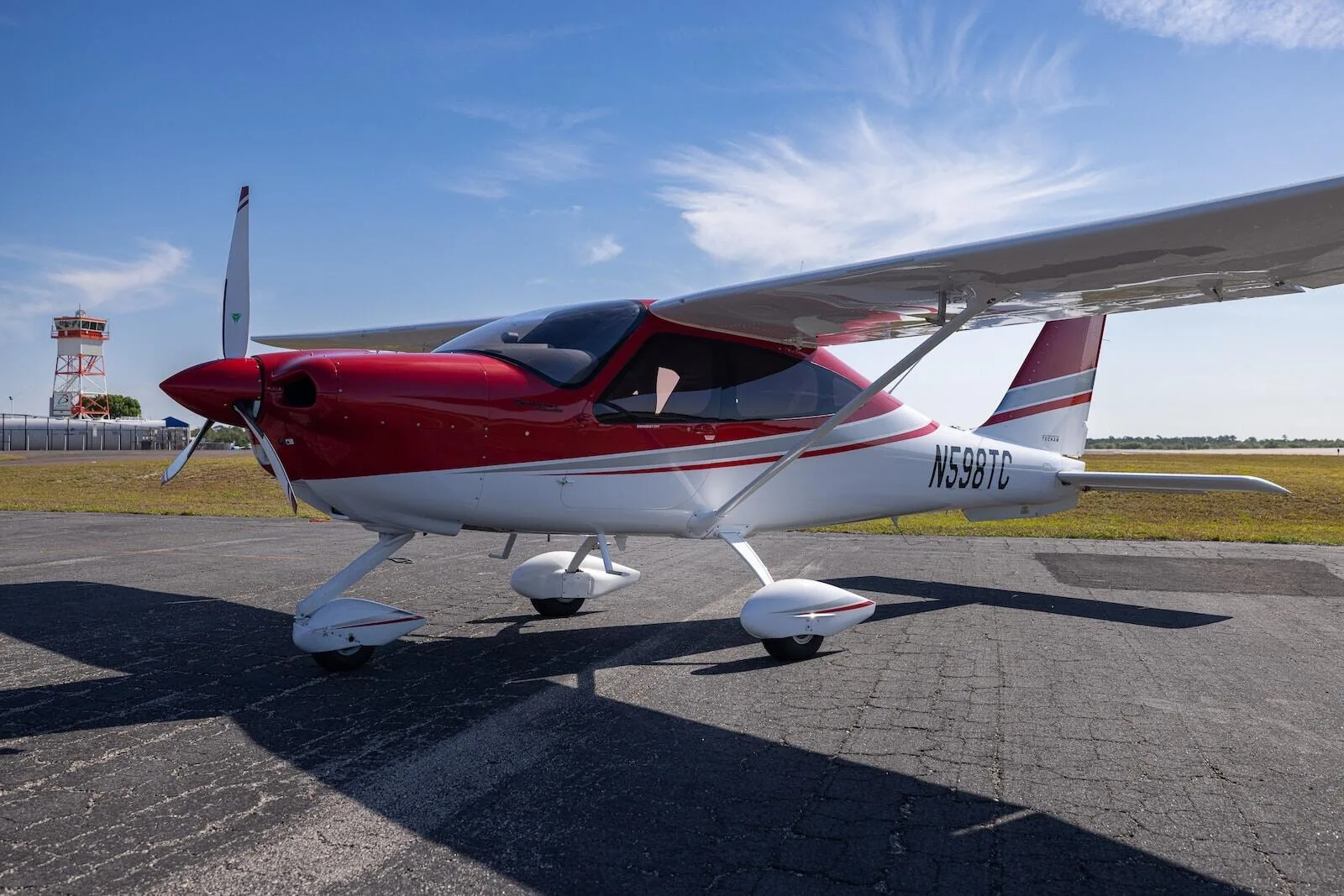
Free — save the P2010 to your watchlist and track it in one place.
More TECNAM P2010 MKIImanuals & documents
Related documents
- AFMS – GFC 500 Autopilot in Piper PA-28 SeriesPiper PA-28 Archer III · Normal Procedures
- AFMS – GFC 500 Autopilot in Textron 182 SeriesCESSNA T182 T · Normal Procedures
- AFMS – GFC 500 Piper PA32 Cherokee Six SeriesPiper PA-32 Cherokee Six · Pilot's Operating Handbook
- AFMS – GFC 500 Piper PA-32(R) SeriesPiper PA-32 Saratoga II TC · Pilot's Operating Handbook
- GFC 600 Autopilot in 182P/182Q/182R/T182/182S/182T/T182TCESSNA T182 T · Flight Manual
If you fly the TECNAM P2010 MKII, you may also be researching these.


In this document
General Features
The P2010 is equipped with a Lycoming IO-360-M1A engine and an MT Propeller MTV-15-B/193-52, featuring variable pitch.
Autopilot Description
The GFC700 autopilot is a 2-axis system designed for the G1000 integrated flight deck, controlled via the MFD.
Autopilot Control Panel
The MFD includes softkeys for autopilot control, allowing the pilot to engage various flight modes.
Pilot Control Wheel and Throttle Buttons
The control wheel features PTT switches and dedicated AFCS controls for manual trim and autopilot disengagement.
Acronyms and Terminology
The document includes a glossary of acronyms related to the autopilot and avionics systems.
Page Replacement Instructions
Specific pages of the basic AFM are to be replaced with the corresponding pages from this supplement.
Summary written by AI from the source document. Check the original before relying on it. See which parts of Sprinkle are written by AI.
Full document text
Section 9 – Supplements- Supplement no. D07 GARMIN GFC700 AUTOPILOT AND VARIABLE PITCH PROPELLER EQUIPPED AEROPLANES Page D07-4 Ed. 2, Rev. 0 INTENTIONALLY LEFT BLANK Section 9 – Supplements- Supplement no. D07 GARMIN GFC700 AUTOPILOT AND VARIABLE PITCH PROPELLER EQUIPPED AEROPLANES Page D07-5 Ed. 2, Rev. 0 SECTION 1 – GENERAL Make sure you first applied instructions reported on the basic AFM, Section 1 General According to A/C configuration apply following pages replacement: Supplement GENERAL page AFM Section 1 page APV1-6 REPLACES 1-6 of basic AFM, Section 1 APV1-13 REPLACES 1-13 of basic AFM, Section 1 APV1-16 thru 31 REPLACES 1-16 thru 31 of basic AFM, Section 1 Supplement D07: pages replacement instructions Section 9 – Supplements- Supplement no. D07 GARMIN GFC700 AUTOPILOT AND VARIABLE PITCH PROPELLER EQUIPPED AEROPLANES Page D07-6 Ed. 2, Rev. 0 INTENTIONALLY LEFT BLANK AFMS N°D07 FOR GARMIN GFC700 AUTOPILOT AND VARIABLE PITCH PROPELLER EQUIPPED AEROPLANES Page APV1-6 Section 1 – General- GENERAL FEATURES Ed. 2, Rev.0 5. ENGINE Manufacturer ……………………………Lycoming Engines Model …………………………………...IO-360-M1A Type Certificate ………………………...EASA TCDS no. IM.E.032 Engine type Fuel injected (IO), direct drive, four cylinder horizontally opposed, air cooled with down exhaust outlets. Maximum power 134.0 kW (180hp) @ 2700 rpm Maximum continuous power …………...129.2 kW (173.3hp) @ 2600 rpm 6. PROPELLER Manufacturer ………………………….MT Propeller Model ………………………………….MTV-15-B/193-52 Type Certificate ……………………….EASA TCDS no. P.098 Blades/hub …………………………….wood/composite 2-blades – aluminum hub Diameter ………………………………1930 mm (76 in) (no reduction is permitted) Type ………………………………… Variable pitch GOVERNOR Manufacturer ……………………… MT Propeller Model ……………………………… P-860-23: Type ……………………….. Hydraulic AFMS N°D07 FOR GARMIN GFC700 AUTOPILOT AND VARIABLE PITCH PROPELLER EQUIPPED AEROPLANES Page APV1-13 Section 1 – General- ACRONYMS AND TERMINOLOGY Ed. 2, Rev.0 Autopilot acronyms AC A/C Advisory Circular Aircraft GNSS GP Global Navigation Satellite System Glide Path ADC Air Data Computer GPS Global Position System ADF Automatic Direction Finder GS Glide Slope ADI Attitude Directional Indicator GSA Garmin Servo Actuator AFCS AHRS Automatic Flight Control Systyem Attitude Heading Reference System GSM HDG Garmin Servo Mount Heading ALT Altitude HSDB High Speed Data Bus ALTS Altitude Selector IAU Integrated Avionic Unit AMPS A/P Ampere Autopilot LOC LRU Localizer Line Repleaceable Unit APR Approach LVL Level ARP ASI Aerospace Recommended Practice Air Speed Indicator MAG MET Magnetometer Manual Electric Trim BC Back Course MFD Multi-Function Display CAS Caution Advisory System NAV Navigation CDI CS Course Deviation Indicator Certification Specifications OAT PFD Outside Air Temperature Primary Flight Display CWS Control Wheel steering PFI Primary Flight Information DC DME Direct Current Distance Measuring Equipment PFT PWM Pre Flight Test Pulse Width Modulation EIS Engine Indication System SAE SAE International ESP Electronic Stability and Protection TDM Time Division Multiplexing FD FLC Flight Director Flight Level Change USP VHF Under Speed Protection Very-High Frequency GA Go Around VNV Vertical Navigation GDU Garmin Display Unit VS Vertical Speed GIA Garmin Integrated Avionics XPDR Transponder AFMS N°D07 FOR GARMIN GFC700 AUTOPILOT AND VARIABLE PITCH PROPELLER EQUIPPED AEROPLANES Page APV1-16 Section 1 – General- AUTOPILOT DESCRIPTION Ed. 2, Rev.0 12. AUTOPILOT DESCRIPTION P2010 aircraft is equipped, as an optional equipment, with an integrated 2-axis autopilot suite manufactured by Garmin and identified as GFC 700. This autopilot suite was de- signed as an option for the G1000 integrated flight deck. The autopilot is controlled via dedicated keys grouped in a control panel located on the MFD. The installed MFD dis- play is different with respect to standard P2010 configuration since it is GDU 1044. The autopilot suite installed on P2010 is based on the following configuration: • 1 Roll servo • 1 Pitch servo • 1 Pitch Trim servo Neither yaw axis nor rudder trim tab control is provided. The autopilot is connected to electric system through the below listed circuit breakers connected to the avionics bus: 1) A/P (5A) 2) PITCH TRIM (3A) The installed servos are capstan type and are composed of two main components: • A servo motor • A servo capstan including the servo clutch The following block diagram describes the avionic system installed on P2010 and its in- terconnections with the autopilot servos: AFMS N°D07 FOR GARMIN GFC700 AUTOPILOT AND VARIABLE PITCH PROPELLER EQUIPPED AEROPLANES Page APV1-17 Section 1 – General- AUTOPILOT DESCRIPTION Ed. 2, Rev.0 The multifunction display (MFD) provides the pilot with a dedicated set of keys for autopi- lot control (see red frame in the below picture). The roll servo is located under the pilot seat and is fixed to a/c structure using a dedicated mount. Pitch and pitch trim servos are located in the tail cone and are installed on a dedicated mount which hosts both the servos. AFMS N°D07 FOR GARMIN GFC700 AUTOPILOT AND VARIABLE PITCH PROPELLER EQUIPPED AEROPLANES Page APV1-18 Section 1 – General- AUTOPILOT DESCRIPTION Ed. 2, Rev.0 GFC 700 is an integrated autopilot since it uses several information provided by other units em- bodied in the G1000 avionics suite in order to compute the maneuvers to be performed by the aer- oplane and actuate them. The below table lists the functions which are required in order to have the GFC 700 operational and the G1000 LRUs responsible for providing it: LRU Function PFD/MFD (GDU 104X) ADC (GDC 74X) AHRS (GRS 77) MAG. (GMU 44) IAU1/2 (GIA 63W) ACTUA- TOR (GSA 8X) CAP- STAN (GSM 8X) AFCS mode select buttons Display of the AFCS mode annun- cia- tions and flight director com- mand bars. (PFD NORMAL) (MFD REVER- SIONARY) Attitude/Heading information Air data information Navigational database Parameters GPS/WAAS, VOR, and ILS naviga-
Show full textShow less
tional data Mode logic, flight director computa- tions, and servo management Autopilot computations and monitor- ing Aircraft control sur- face Actuation Trim functionality In control of the roll axis, the autopilot senses turn rate, as well as closure rate to the selected course, along with the non-rate quantities of heading error, course error and course deviation indication. In control of the pitch axis, the autopilot senses vertical speed, acceleration, and closure rate to the selected glideslope, along with the non-rate quantities of altitude and glideslope devia- tion indication. The “autotrim” function senses when the aircraft needs to be trimmed about the pitch axis, and responds by driving the trim servo in the proper direction to provide trim. AFMS N°D07 FOR GARMIN GFC700 AUTOPILOT AND VARIABLE PITCH PROPELLER EQUIPPED AEROPLANES Page APV1-19 Section 1 – General- AUTOPILOT DESCRIPTION Ed. 2, Rev.0 12.1 GDU 1044 (MFD) GDU 1044 MFD unit can display as default engine parameters and moving map information, along with other information that can be selected by the pilot (see the first figure below); when re- versionary mode is active it will display flight parameters (in the form of PFD with the left strip engine information, as can be seen in the second figure below). It is the user interface for P2010 avionics suite. GDU 1044 unit replaces the GDU 1040 unit on instrument panel RH side (MFD). GDU 1044 (MFD) Reversionary mode: - In the event of a single display failure the system is able to automatically switch the critical information including flight and engine parameters on the remaining display pre- senting them in a compact view. In the event of a failure of the automatic switch logic, the pilot can easily force the reversionary mode by pressing the red button on the bottom of the audio panel thus getting both flight and engine parameters information, necessary for continued safe flight, on the remaining display. GDU 1044 (MFD) in reversionary mode AFMS N°D07 FOR GARMIN GFC700 AUTOPILOT AND VARIABLE PITCH PROPELLER EQUIPPED AEROPLANES Page APV1-20 Section 1 – General- AUTOPILOT DESCRIPTION Ed. 2, Rev.0 Autopilot control panel The GDU1044 includes a set of additional softkeys dedicated to the control of Autopilot sys- tem. The following dedicated AFCS keys are located on the bezel of the MFD (refer picture below): 1) AP Key: Engages/ disengages the autopilot 2) FD Key: Activates/deactivates the flight director only 3) NAV Key: Selects/deselects Navigation Mode 4) ALT Key: Selects/deselects Altitude Hold Mode 5) VS Key: Selects/deselects Vertical Speed Mode 6) FLC Key: Selects/deselects Flight Level Change Mode 7) HDG Key: Selects/deselects Heading Select Mode 8) APR Key: Selects/deselects Approach Mode 9) VNV Key: Selects/deselects Vertical Path Tracking Mode for Vertical Naviga- tion flight control 10) NOSE UP/ NOSE DN Keys: Control the mode reference in Pitch Hold, Vertical Speed and Flight Level Change modes Autopilot control panel AFMS N°D07 FOR GARMIN GFC700 AUTOPILOT AND VARIABLE PITCH PROPELLER EQUIPPED AEROPLANES Page APV1-21 Section 1 – General- AUTOPILOT DESCRIPTION Ed. 2, Rev.0 12.2 PILOT CONTROL WHEEL AND THROTTLE BUTTONS On the left side of pilot’s and copilot’s control wheels there are two PTT switches (the one on pilot control wheel is shown below as (1)) that, when pushed, allow radio transmis- sion. These switches are momentaneous ones thus acting in such a way that when they are released the active COM device returns to the non- transmitting state. These switches are already installed in the basic aircraft which is not equipped with the autopilot. The following additional dedicated AFCS controls are located on the pilot control wheel, separately from the MFD, and on the throttle handle: AP DISC Switch: Disengages the autopilot and interrupts pitch trim operation This switch may be used to mute the aural autopilot dis- connect alert. AP Trim Switch: Used to command manual electric trim. This composite switch is split into left and right sides. The left switch is the ARM contact and the right switch controls the DN (forward) and UP (rearward) contacts. The AP TRIM ARM switch can be used to disengage the autopilot and to acknowledge an autopilot disconnect alert and mute the associated aural tone. Manual trim commands are generated only when both sides of the switch are oper- ated simultaneously. If either side of the switch is ac- tive separately for more than three seconds, MET func- tion is disabled and ‘PTRM’ is displayed as the AFCS Status Annunciation on the PFD. The function remains disabled until both sides of the switch are inactivated. CWS Button: While pressed, the Control Wheel Steering allows manual control of the aircraft while the autopilot is engaged and synchronizes the flight director’s Command Bars with the current aircraft pitch (if not in Glideslope Mode) and roll (if in Roll Hold Mode). Upon release of the CWS But- ton, the flight director may establish new reference points, depending on the current pitch and roll modes. CWS operation details are discussed in the flight director modes section. TO/GA Switch: The GA Switch is located on the throttle handle. Go Around and Takeoff modes are coupled pitch and roll modes and are annunciated as both the vertical and lateral modes when active. In these modes, the flight director commands a constant set pitch attitude and keeps the wings level. The GA Switch is used to select both modes. The mode entered by the flight director depends on wheth- er the aircraft is on the ground AFMS N°D07 FOR GARMIN GFC700 AUTOPILOT AND VARIABLE PITCH PROPELLER EQUIPPED AEROPLANES Page APV1-22 Section 1 – General- AUTOPILOT DESCRIPTION Ed. 2, Rev.0 The above mentioned AFCS controls are depicted in the below figures. Where: 1) PTT switch 2) AP DISC Switch 3) AP Trim Switch 4) CWS Button AFMS N°D07 FOR GARMIN GFC700 AUTOPILOT AND VARIABLE PITCH PROPELLER EQUIPPED AEROPLANES Page APV1-23 Section 1 – General- AUTOPILOT DESCRIPTION Ed. 2, Rev.0 AFMS N°D07 FOR GARMIN GFC700 AUTOPILOT AND VARIABLE PITCH PROPELLER EQUIPPED AEROPLANES Page APV1-16 Section 1 – General- AUTOPILOT FUNCTIONS Ed. 2, Rev.0 13. AUTOPILOT FUNCTIONS AND FEATURES GFC 700 autopilot suite is deeply integrated with Garmin G1000 avionics suite which in- tegrates both the a/p controls and the sensors providing the required data to the servos. The GFC 700 AFCS is equipped with the following main operating functions: Flight Director (FD) — Flight director commands are displayed on the PFD. The flight director provides: Command Bars showing pitch/roll guidance Pitch/roll mode selection and processing Autopilot communication Autopilot (AP) — Autopilot operation occurs within the pitch, roll, and pitch trim servo and provides servo monitoring and automatic flight control in response to flight director steering commands, AHRS attitude and rate information, and airspeed. Manual Electric Trim (MET) — The pitch trim servo provides manual electric trim capability when the autopilot is not engaged. ESP (Electronic Stability & Protection) keeps the aircraft within well de- fined operational limits thus preventing the pilot to operate the aircraft outside a specific envelope when it is being hand flown. This feature on- ly operates when autopilot is not engaged and its operation is mutually exclusive with autopilot operation. USP (Underspeed Protection) is a flight director function that reacts to underspeed conditions in a way that allows the autopilot to remain engaged but prevents the airplane from stalling. AFMS N°D07 FOR GARMIN GFC700 AUTOPILOT AND VARIABLE PITCH PROPELLER EQUIPPED AEROPLANES Page APV1-17 Section 1 – General- AUTOPILOT FUNCTIONS Ed. 2, Rev.0 13.1 ESP Garmin GFC 700 is equipped with an envelope protection feature referred as ESP (Electron- ic Stability & Protection). Electronic Stability and Protection continuously monitors the air- craft. The system works by applying a correcting force to the controls in order to nudge pilot to avoid extreme attitudes that may bring the aircraft, if not corrected, to exceed normal fly- ing envelope. This software feature aims to provide protection against aircraft operation outside a desired flight envelope. ESP will maintain the desired operating envelope, defined at autopilot de- velopment time, by automatically engaging one or more sevos when the aircraft is near the operating limit and nudging pilot to come back to nominal operating envelope. While ESP utilizes the same sensors, processors, and actuators as the GFC 700 autopilot, it is basically a separate function. ESP can be overpowered by the pilot and can be temporarily disabled us- ing the AP disconnect or CWS switches. It functions independently of the aircraft’s autopi- lot system (although it uses the same control servos), so it basically operates “in back- ground” whenever the pilot is hand-flying the airplane. The ESP feature will only function with GPS available, A/P MASTER SWITCH ON (but autopilot not engaged) and aircraft above 200ft AGL. ESP enabling: As a standard, ESP will automatically set to enable at power-up. The system is configured in order to allow the pilot to disable ESP (or re-enable it if previ- ously disabled after power up) via the AUX – SYSTEM SETTINGS page on MFD. If ESP has been disabled via MFD, it will automatically be set to ON upon any bat- tery/power reset. ESP function uses the same servos that provide autopilot functionality while autopilot is not en- gaged, as such, if power is cut from these servos both autopilot and ESP functions will be una- vailable. Based on the above if “AUTOPILOT MASTER” is set to OFF, power to servos is cut irre- spectively of their mode of operation (autopilot or ESP). The pilot can interrupt ESP by pressing and holding either the Control Wheel Steering (CWS) or Autopilot Disconnect (AP DISC TRIM INTRPT) switch. Upon releasing the CWS or AP DISC TRIM INTRPT switch, ESP force will again be applied, provided aircraft attitude and/or airspeed are within their respective engagement limits. ESP can be enabled or disabled on the AUX-SYSTEM SETUP 2 Page on the MFD. AFMS N°D07 FOR GARMIN GFC700 AUTOPILOT AND VARIABLE PITCH PROPELLER EQUIPPED AEROPLANES Page APV1-18 Section 1 – General- AUTOPILOT FUNCTIONS Ed. 2, Rev.0 To enable or disable ESP: 1) Turn the large FMS Knob to select the AUX Page Group. 2) Turn the small FMS Knob to select the System Setup Page. 3) If necessary, select the SETUP 2 Softkey to display the AUX-SYSTEM SETUP 2 Page.If the AUX-SYSTEM SETUP 2 is already displayed, pro- ceed to step 4. 4) Press the FMS Knob to activate the cursor. 5) Turn the large FMS Knob to place cursor in the STABILITY & PRO- TECTION field. 6) Turn the small FMS Knob to select ‘ENABLE’ or ‘DISABLE’. 7) Press the FMS Knob to remove the cursor. ESP engagement and operation: ESP is automatically enabled on system power up. ESP unavailability and/or failure is indicated to the pilot on PFD by the advisory “ESP not available” on alert window. ESP will turn OFF upon loss of both GPS. The ADVSY “ESP OFF” will appear on the alert window in case of loss of both GPS 13.1.1 PITCH MODE Pitch attitude boundaries are set based on P2010 aircraft performances. Since pitch ESP augments the natural aircraft longitudinal stability, no special simbology is required. Value that have been set-up for the P2010 are as follows: Nose above the horizon: Engagement low threshold: + 15° Engagement upper threshold: + 18° Lower disengage threshold: + 12° Nose below the horizon: Engagement low threshold: -15° Engagement upper threshold: -20° Lower disengage threshold: -13° ESP utilizes electronic torque and speed commands to augment the aircraft’s stability: it uses an Electronic Torque Limit (ETL) and an Electronic Speed Limit (ESL) to limit the maximum authority of the ESP function. ESP is inactive when the pitch attitude is within the positive and negative engagement limits defined in the certification gain file NOTE NOTE AFMS N°D07 FOR GARMIN GFC700 AUTOPILOT AND VARIABLE PITCH PROPELLER EQUIPPED AEROPLANES Page APV1-19 Section 1 – General- AUTOPILOT FUNCTIONS Ed. 2, Rev.0 When the aircraft reaches the engagement limit, ESP ramps up the servo torque command to adjust the aircraft back toward zero pitch attitude. ESP uses a rate command to drive the atti- tude back to the nominal range and does not try to control to a specific attitude. As the pitch at- titude returns to the nominal range, the torque and pitch rate are reduced until the aircraft reaches the disengagement limit at which time ESP turns off. The disengagement threshold is sized so that the transition from ESP being active to being inactive is transparent to the pilot (no tran- sient when ESP turns off). If, when ESP engages, the aircraft continues to pitch away from the nominal attitude range the torque command will increase with increasing pitch deviation. Above the upper disengage- ment limit specified in the certification gain file ESP will be disabled. 13.1.2 ROLL MODE Roll mode is similar to pitch mode and also utilizes configurable gain file parameters to de- fine engagement and disengagement limits as well as the speed and torque curves. The engagement and disengagement attitude limits are displayed with double hash marks on the roll indicator when ESP is available and /or active. The lack of double hash marks above 200 ft AGL (when autopilot is not connected) is a clear indication that ESP is not available. Values for the symmetric roll attitude limits are as follows: Engagement low threshold: +/- 45° Engagement upper threshold: +/- 75° Lower disengage threshold: +/- 30° Electronic stability and protection action starts at the predetermined bank angle. Since crossing this bank angle results in a change in aircraft stability (and therefore handling characteristics) indications of this boundary are provided to the pilot. When ESP is inactive (roll attitude within nominal limits) only the engagement limits are displayed in order to reduce clutter on the roll indicator. As the bank. AFMS N°D07 FOR GARMIN GFC700 AUTOPILOT AND VARIABLE PITCH PROPELLER EQUIPPED AEROPLANES Page APV1-20 Section 1 – General- AUTOPILOT FUNCTIONS Ed. 2, Rev.0 angle is increased, a region of an increasing force as a function of bank angle is entered. The envelope protection system adds bank stability in this region. As the bank angle is increased further, a constant force is applied to right the airplane. See the below figure for an example of the ESP engagement limits. VMO Exceeding VMO will result in ESP applying force to raise the nose; when the high speed condi- tion is remedied, ESP force is no longer applied. Engage Limit: 165 KIAS Upper Limit: 168 KIAS Lower disengage Limit: 160 KIAS 13.2 USP Underspeed Protection (USP) is a flight director function that reacts to underspeed condi- tions, designed to discourage aircraft operation below minimum established airspeeds. Pilot will be warned of impending low speed conditions, and if no action will be taken FD will directly react in a way that allows the A/P to remain engaged but prevents the air- plane from stalling. USP function has been developed in order to warn pilot of impending low speed conditions, and if no action will be taken FD will directly react in a way that allows the Autopilot to remain engaged but pre- vents the airplane from stalling. Pilot action is still expected at first warning of low airspeed conditions in order to prevent a low speed conditions, so to maintain normal flight. When autopilot is engaged USP will provide the pilot with au- ral/visual cues to make him aware of an impending stall and will drive the servos in order to prevent stall. When autopilot is not engaged and only Flight director is active, USP will provide the pilot with aural/visual cues to make him aware of an impending stall but servos will not be driven. AFMS N°D07 FOR GARMIN GFC700 AUTOPILOT AND VARIABLE PITCH PROPELLER EQUIPPED AEROPLANES Page APV1-21 Section 1 – General- AUTOPILOT FUNCTIONS Ed. 2, Rev.0 How Underspeed Protection functions depends on which vertical flight director mode is selected. For the purpose of this discussion, the vertical flight director modes can be divided into two categories: - It is important to maintain altitude for as long as possible (altitude- crit- ical modes). - Maintaining altitude is less crucial (non-altitude critical modes). If USP engages while Autopilot is in PIT or VS mode, and power is ab- ruptly set to full throttle, pilot may expect a slight nose up tendency that will be quickly counteracted by autopilot. This is a normal behaviour, the slight nose up tendency in this case will be due to abrupt power advance, but will be immediately damped by Autopilot (with PIT or VS turn- ing green on the annunciation panel). USP engagement is a consequence of autopilot failing to properly moni- toring A/P and aircraft behaviour. This is mainly caused by a pilot re- quest that cannot be fulfilled due to lack of power coupled with unattain- able pitch input. Pilot need to continuously monitor autopilot performance, while checking that mode selections are compatible with aircraft performance. If Autopilot is engaged in FLC mode, FLC mode will downgrade to PIT mode when in USP for more than 10 seconds. If USP engages while in ALT mode, upon USP disengagement FD will command bars to regain pre-selected altitude (altitude selected before USP engagement). Pilot must monitor A/P to check if previous pre-selected alti- tude is still attainable with energy available. It is recommended in this case to preselect a new altitude in order to speed-up energy management and recover from slow speed conditions. When USP becomes active, expect a small FD adjustment due to reac- tion to very low speed condition. AFMS N°D07 FOR GARMIN GFC700 AUTOPILOT AND VARIABLE PITCH PROPELLER EQUIPPED AEROPLANES Page APV1-22 Section 1 – General- AUTOPILOT FUNCTIONS Ed. 2, Rev.0 13.2.1 ALTITUDE CRITICAL MODES (ALT, GS, GP, TO, GA, FLC) When the airspeed trend vector (dedicated algorithm) reaches 65 +/- 2 KIAS a single aural “AIRSPEED” will sound, alerting the pilot to the impending underspeed condition, which requires pilot action. If the aircraft decelerates to stall warning and a speed of 65 KIAS is reached, the lateral and vertical flight director modes will change from active to armed and the autopilot will provide input causing the aircraft to pitch down and the wings to level. The aural “AIRSPEED” alert will sound every five seconds. If aircraft is unintentionally decelerated to 65 KIAS, a MINSPD annunciation posts above the airspeed tape on PFD in alternating amber and black text. A red “UNDERSPEED PRO- TECT ACTIVE” annunciation will appear to the right of the vertical speed indicator. USP will drive the pitch down until the indicated airspeed increases above 70 KIAS or stall warning turns off, plus two knots (whichever comes first). When USP disengages, autopilot will cause the aircraft to pitch up until recapturing the vertical reference (vertical and lateral flight director modes will change from white armed to green ac- tive). AFMS N°D07 FOR GARMIN GFC700 AUTOPILOT AND VARIABLE PITCH PROPELLER EQUIPPED AEROPLANES Page APV1-23 Section 1 – General- AUTOPILOT FUNCTIONS Ed. 2, Rev.0 13.2.2 NON ALTITUDE CRITICAL MODES (VS, VNAV, IAS) When the airspeed trend vector (dedicated algorithm) reaches 65 +/- 2 KIAS a single aural “AIRSPEED” will sound, alerting the pilot to the impending under- speed condition, which requires pilot action. If the aircraft is allowed to decelerate to an IAS below the minimum commandable autopilot airspeed (65 Kts for P2010), a red “UNDERSPEED PROTECT ACTIVE” annunciation appear to the right of the vertical speed indicator Vertical flight director mode will change from active to armed, Flight Director and autopilot will command the aircraft to pitch down until reaching a pitch attitude at which IAS equals at least the minimum commandable autopilot airspeed, avoiding the development of a stall condi- tion. When airspeed increases (as a result of adding power/thrust) to an IAS above 70 KIAS, USP will then disengage and the autopilot will command the aircraft to pitch up until recapturing the vertical reference (vertical vertical flight director mode will switch from white armed to green active). Page D07-7 Section 9 – Supplements- Supplement no. D07 GARMIN GFC700 AUTOPILOT AND VARIABLE PITCH PROPELLER EQUIPPED AEROPLANES Ed. 2, Rev.0 SECTION 2 – LIMITATIONS Make sure you first applied instructions reported on the basic AFM, Section 2 Limitations According to A/C configuration apply following pages replacement: Supplement D07 LIMITATIONS page AFM Section 2 page APV 2-7 REPLACES 2-7 of basic AFM, Section 2 APV 2-9 thru 10 REPLACES 2-9 thru 10 of basic AFM, Section 2 APV 2-15 REPLACES 2-15 of basic AFM, Section 2 APV 2-17 thru 20 REPLACES 2-17 thru 20of basic AFM, Section 2 Supplement D07: pages replacement instructions Page D07-8 Section 9 – Supplements- Supplement no. D07 GARMIN GFC700 AUTOPILOT AND VARIABLE PITCH PROPELLER EQUIPPED AEROPLANES Ed. 2, Rev.0 INTENTIONALLY LEFT BLANK AFMS N°D07 FOR GARMIN GFC700 AUTOPILOT AND VARIABLE PITCH PROPELLER EQUIPPED AEROPLANES Page APV 2-7 Ed 2, Rev. 0 Section 2 – Limitations - Powerplant limitations Approved 4. POWERPLANT LIMITATIONS Following table reports the operating limitations the installed engine: ENGINE MANUFACTURER: Lycoming Engines ENGINE MODEL: IO-360-M1A MAXIMUM POWER: Max Power (hp) Max rpm. Prop. rpm Max. T.O. 180 2700 Max. Cont. 173.3 2600 Temperatures: Max CHT …………………..………………… 500° F (260° C) Max Oil ………………………………………. 245° F (118° C) Oil Pressure: Minimum Idling ……………………………..... 25 psi (1.7 Bar) Minimum Normal ……………………………. 55 psi (3.8 Bar) Maximum Normal …………………………..… 95 psi (6.5 Bar) Starting, Warm-up, taxi and take-off (Max) …..115 psi (7.9 Bar) Fuel pressure: - At Inlet to fuel injector: Minimum .............................................................. 14 psi (0.96 Bar) Maximum ............................................................. 35 psi (2.41 Bar) AFMS N°D07 FOR GARMIN GFC700 AUTOPILOT AND VARIABLE PITCH PROPELLER EQUIPPED AEROPLANES Page APV2-9 Ed 2, Rev. 0 Section 2 – Limitations - PAINT, PROPELLER, MAX ALTITUDE AND OAT Approved 7. PAINT To ensure that the temperature of the composite structure does not exceed limits, the outer surface of the aeroplane must be painted with white paint, except for areas of registration marks, placards, and ornament. Refer to Aircraft Maintenance Manual (AMM), ATA Chapter 4 and 51, for specific paint requirements. 8. PROPELLER MANUFACTURER: .…….. MT Propeller MODEL: …………….……. MTV 15B/193-52 TYPE: .……………….…… wood/composite 2-blade, variable pitch DIAMETER: ……………... 1930 mm (76 in) (no reduction is permitted) 9. MAXIMUM OPERATING ALTITUDE Maximum operating altitude is 12000 ft (3658 m) MSL. 10. AMBIENT TEMPERATURE Ambient temperature: from -25°C to +50°C. At altitudes above 10000 ft (3048 m) up to and including 12000 ft (3658 m), flight crew is recommended to use supplemental oxygen. Flight in expected and/or known icing conditions is forbidden AFMS N°D07 FOR GARMIN GFC700 AUTOPILOT AND VARIABLE PITCH PROPELLER EQUIPPED AEROPLANES Page APV2-10 Ed 2, Rev. 0 Section 2 – Limitations - POWERPLANT AND OTHER INSTRUMENT MARKINGS Approved 11. POWERPLANT INSTRUMENT MARKINGS Powerplant instrument markings and their colour code significance are shown be- low: INSTRUMENT RED ARC Minimum limit WHITE ARC Advisory GREEN ARC Safe ope- ration YELLOW ARC Caution RED ARC Maximum limit PROPELLER RPM / / 950-2600 0-950 2600-2700 2700 (line) OIL TEMP. °F / / 140-245 0 - 140 245 - 255 CHT °F / 435 (line) 150-475 0 – 150 475-500 500-510 EGT °F / 1000-1500 / 1375 (line) 1500-1550 OIL PRESS psi 0-25 / 55-95 25 - 55 95-115 115 - 125 FUEL PRESS psi 0-14 / 14-35 / 35 - 40 FUEL QTY litres 0 / 0-115 / / gal 0 0-30,4 FUEL FLOW l/hr / 0-75 / / / gal/hr 0-20 12. OTHER INSTRUMENT MARKINGS INSTRUMENT RED ARC Minimum limit GREEN ARC Safe operation YELLOW ARC Caution RED ARC Maximum limit Voltmeter 20-21 Volt 24–30 Volt 21–24 Volt 30-31 AFMS N°D07 FOR GARMIN GFC700 AUTOPILOT AND VARIABLE PITCH PROPELLER EQUIPPED AEROPLANES Page APV2-15 Ed 2, Rev. 0 Section 2 – Limitations - LIMITATIONS PLACARDS Approved 19 LIMITATIONS PLACARDS Hereinafter limitation placards, related to the operating limitations, are placed in plain view on the pilot. 19.1 SPEED LIMITATIONS On the left side instrument panel, above on the left, it is placed the following placard reporting the speed limitations: 19.2 OPERATING LIMITATIONS On the central side of the instrument panel, the following placard is placed re- minding the observance of aircraft operating limitations according to installed equipment configuration, see KOEL paragraph 18. When the Autopilot is installed, next placard is added on the instrument panel to the right of the preceding one: 19.3 NO SMOKING PLACARD On the right hand side of the instrument panel the following placard is placed re- minding the observance for “no smoking”: AFMS N°D07 FOR GARMIN GFC700 AUTOPILOT AND VARIABLE PITCH PROPELLER EQUIPPED AEROPLANES Page APV2-17 Ed 2, Rev. 0 Section 2 – Limitations AUTOPILOT LIMITATIONS Approved 20 AUTOPILOT LIMITATIONS Following operating limitations shall apply when the aircraft is equipped with Garmin GFC700 Autopilot: The Autopilot is certified for Category I – ILS Approaches [with a decision height not lower than 200 ft AGL (61 m)] During Autopilot operation, a pilot with seat belt fastened must be seated at the left pilot position Maximum speed for Autopilot operation is 150 KIAS Do not use autopilot for airspeed below 70 KIAS Minimum approach speed is 70 KIAS The autopilot must be OFF during takeoff and landing Minimum altitude AGL for Autopilot operation is: b. Cruise and Descent: 800 ft (244 m) AGL c. Climb after Take-off: 400 ft (122 m) AGL d. ILS CAT I precision approach: 200 ft (61 m) AGL Use of the autopilot or manual electric trim system is prohibited before the satisfactory completion of the Pre-flight procedure. Autopilot USP function requires flaps indicators lights in the cockpit to be efficient for correct operation. If one flap indicator light gets in- operative during flight, USP function is not assured. The “Garmin G1000 Pilot’s Guide for the Tecnam P2010” (Part No. 190-01830-00 Revision A dated September 25, 2014 or a more up- dated version) must be carried in the aircraft and made available to the pilot at all time. AFMS N°D07 FOR GARMIN GFC700 AUTOPILOT AND VARIABLE PITCH PROPELLER EQUIPPED AEROPLANES Page APV2-18 Ed 2, Rev. 0 Section 2 – Limitations PBN (RNAV & RNP) OPERATIONAL ELIGIBILITY Approved 21 PBN (RNAV & RNP) OPERATIONAL ELIGIBILITY 21.1 GENERAL GNSS NAVIGATION EQUIPMENT APPROVALS The GPS/GNSS receivers in the G1000 System are certified to TSO C129a Class A1 and ETSO C129a Class A1 or TSO C145a and ETSO 2C145a. The Garmin GNSS navigation system as installed in this airplane complies with the requirements of AC 20-138A, JAA TGL-10 and AMCs 20-4A, 20- 27A and 20-28. It’s approved for navigation using GPS and SBAS (within the coverage of a Sat- ellite Based Augmentation System complying with ICAO Annex 10) for IFR en route, terminal area, precision and non-precision approach operations. The G1000 System meets the requirements for GPS/GNSS as a Primary Means of Navigation for Oceanic/Remote Operations (RNP-10) per AC 20-138C, FAA Notice N8110.60, FAA Order 8400-12C and FAA Order 8700-1. Both GPS/GNSS receivers are required to be operating and receiving usable sig- nals except for routes requiring only one Long Range Navigation sensor. In accordance to ICAO doc 9613 (Fouth Edition – 2013), the G1000 System has been shown to be eligible for: - B-RNAV (RNAV-5) per AMC 20-4A. - RNAV1 / P-RNAV (RNP-1) Enroute and Terminal navigation per JAA TGL-10 Rev.1. - RNP APCH LNAV/VNAV per EASA AMC 20-27. This does not in- clude APV BARO-VNAV operation which is not cleared. - LPV with SBAS per EASA AMC 20-28. provided that the G1000 is receiving usable navigation information from at least one GPS receiver. AFMS N°D07 FOR GARMIN GFC700 AUTOPILOT AND VARIABLE PITCH PROPELLER EQUIPPED AEROPLANES Page APV2-19 Ed 2, Rev. 0 Section 2 – Limitations PBN (RNAV & RNP) OPERATIONAL ELIGIBILITY Approved 21.2 G1000 GNSS (GPS/SBAS) NAVIGATION SYSTEM LIMI- TATIONS The pilot must confirm at system initialization that the Navigation database is cur- rent. Navigation database is expected to be current for the duration of the flight. If the AIRAC cycle will change during flight, the pilot must ensure the accuracy of navigation data, including suitability of navigation facilities used to define the routes and procedures for flight. If an amended chart affecting navigation data is published for the procedure, the database must not be used to conduct the procedure. GPS/SBAS based IFR enroute, oceanic, and terminal navigation is prohibited unless the pilot verifies and uses a valid, compatible, and current Navigation database or verifies each waypoint for accuracy by reference to current approved data. Discrepancies that invalidate a procedure must be reported to Garmin International. The affected procedure is prohibited from being flown using data from the Navi- gation database until a new Navigation database is installed in the airplane and ver- ified that the discrepancy has been corrected. Contact information to report Navigation database discrepancies can be found at www.Garmin.com>Support>Contact Garmin Support>Aviation. Pilots and operators can view navigation data base alerts at www.Garmin.com > In the Air> NavData Alerts. For flight planning purposes, in areas where SBAS coverage is not available, the pi- lot must check RAIM availability. Within Europe, RAIM availability can be determined using the G1000 WFDE Pre- diction program or Europe's AUGER GPS RAIM Prediction Tool at http://augur.ecacnav.com/augur/app/home. This requirement is not necessary if SBAS coverage is confirmed to be available along the entire route of flight. The route planning andWFDE prediction program may be downloaded from the GARMIN G1000 website on the internet. For information on using the WFDE Prediction Program, refer to GARMIN WAAS FDE Prediction Program, part number 190-00643-01, `WFDE Prediction Program instructions'. For flight planning purposes for operations within European B-RNAV and P- RNAV airspace, if more than one satellite is scheduled to be out of service, then the availability of GPS integrity RAIM shall be confirmed for the intended flight (route and time). In the event of a predicted continuous loss of RAIM of more than five minutes for any part of the intended flight, the flight should be delayed, cancelled, or rerouted on a track where RAIM requirements can be met. Both GPS navigation receivers must be operating and providing GPS navigation guidance to the PFD for operations requiring RNP-4 performance. Whenever possible, RNP and RNAV routes including Standard Instrument Depar- tures (SIDs) and Obstacle Departure Procedures (ODPs), Standard Terminal Arrival (STAR), and enroute RNAV ”Q” and RNAV ”T” routes should be loaded into the AFMS N°D07 FOR GARMIN GFC700 AUTOPILOT AND VARIABLE PITCH PROPELLER EQUIPPED AEROPLANES Page APV2-20 Ed 2, Rev. 0 Section 2 – Limitations PBN (RNAV & RNP) OPERATIONAL ELIGIBILITY Approved flight plan from he database in their entirety, rather than loading route waypoints from the data base into the flight plan individually. Selecting and inserting individual named fixes from the database is permitted, provided all fixes along the published route to be flown are inserted. ”GPS”, ”or GPS”, and ”RNAV (GPS)” instrument approaches using the G1000 System are prohibited unless the pilot verifies and uses the cur- rent Navigation database. GPS based instrument approaches must be flown in accord- ance with an approved instrument approach procedure that is loaded from the Naviga- tion database. Not all published Instrument Approach Procedures (IAP) are in the Navigation da- tabase. Pilots planning on flying an RNAV instrument approach must ensure that the Navigation database contains the planned RNAV Instrument Approach Procedure and that approach procedure must be loaded from the Navigation database into the FMS flight plan by its name. The navigation equipment required to join and fly an instrument approach procedure is indicated by the title of the procedure and notes on the IAP chart. Use of the GARMIN G1000 GPS/SBAS receivers to provide navigation guidance during the final approach segment of an ILS, LOC, LOC-BC, LDA, SDF,MLS or any other type of approach not approved for ”or GPS” navigation is prohibited. When using the G1000 VOR/LOC/GS receivers to fly the final approach segment, VOR/LOC/GS navigation data must be selected and presented on the CDI. SID/STAR The use of SIDs and STARs stored in GPS data base is only authorized, if the pilot has checked that GPS procedure corresponds to the one given in the official docu- mentation (coordinates of various points and paths between points). Page D7-9 Ed 2, Rev. 0 Section 9 – Supplements Supplement no. D07- GARMIN GFC700 AUTOPILOT AND VARIABLE PITCH PROPELLER EQUIPPED AEROPLANES SECTION 3 – EMERGENCY PROCEDURES Make sure you first applied instructions reported on the basic AFM, Section 3 Emergency Procedures According to A/C configuration apply following pages replacement: Supplement D07 EMERGENCY PROCEDURES page AFM Section 3 page APV 3-4 REPLACES 3-4 of basic AFM, Section 3 APV 3-14 REPLACES 3-14 of basic AFM, Section 3 APV 3-18 thru 19 REPLACES 3-18 thru 19 of basic AFM, Section 3 APV 3A-31 thru 35 REPLACES Added at the end of Section 3 of basic AFM Supplement D07: pages replacement instructions Page D7-10 Ed 2, Rev. 0 Section 9 – Supplements Supplement no. D07- GARMIN GFC700 AUTOPILOT AND VARIABLE PITCH PROPELLER EQUIPPED AEROPLANES INTENTIONALLY LEFT BLANK Page APV3-4 Section 3 – Emergency procedures Ed. 2, Rev.0 1.1. REFERENCE AIRSPEEDS FOR EMERGENCY PROCEDURES Best glide speed (VGLIDE) 84 KIAS No-flaps Approach Speed 80 KIAS AFMS N°D07 FOR GARMIN GFC700 AUTOPILOT AND VARIABLE PITCH PROPELLER EQUIPPED AEROPLANES Page APV3-14 Section 3 – Emergency procedures AVIONIC SUITE FAILURES Ed. 2, Rev.0 6.3 PROPELLER OVERSPEED In case of propeller overspeed in flight, apply following procedure: 1. Throttle Lever ……………. REDUCE power 2. Propeller Lever ……………. Decrease RPM 3. Mixture Lever ……………. As required 4. RPM indicator .…………… CHECK If it is not possible to decrease propeller rpm, land as soon as possible ap- plying Forced landing procedure. (See Para 11) 6.4 IRREGULAR RPM 1. Fuel pump: ……………………………..……ON 2. Fuel quantity and pressure indicators: ………CHECK 3. If necessary: ……………………………….. SWITCH TANK If engine continues to run irregularly Land as soon as possible. Maximum propeller rpm exceedance may cause engine com- ponents damage. Monitor engine RPM; overspeed shall be prevented by retarding propeller lever. AFMS N°D07 FOR GARMIN GFC700 AUTOPILOT AND VARIABLE PITCH PROPELLER EQUIPPED AEROPLANES Page APV3-19 Section 3 – Emergency procedures POWERPLANT EMERGENCIES Ed. 2, Rev.0 6.10. DEFECTIVE ENGINE CONTROLS Defective Mixture Control Cable 1. Maintain altitude to the nearest arfield 2. During descent, check engine behaviour to a higher power setting. A lean mixture can lead to engine roughness and loss of power. Landing approach must be planned accordingly. Defective Throttle Control Cable If power is sufficient to continue flight: 1. Approach nearest airfield, control engine power with Propeller lever 2. Perform landing with shut-down engine applying Forced landing procedure. (See Para 11) If power is not sufficient to continue flight: 1. Carry out Forced landing procedure. (See Para 11) Defective Propeller Lever Control Cable If power is sufficient to continue flight: 1. Approach nearest airfield, control engine power with throttle 2. Perform normal landing. If power is not sufficient to continue flight: 1. Carry out Forced landing procedure. (See Para 11) Go-around may then be impossible. Go-around may then be impossible. AFMS N°D07 FOR GARMIN GFC700 AUTOPILOT AND VARIABLE PITCH PROPELLER EQUIPPED AEROPLANES Page APV3-19 Section 3 – Emergency procedures POWERPLANT EMERGENCIES Ed. 2, Rev.0 7. INFLIGHT ENGINE RESTART 7.1.PROPELLER WINDMILLING 1. Master switch ……………………………… Check ON 2. Fuel pump …………………………………. ON 3. Fuel quantity indicator …………………….. CHECK 4. Fuel Selector ………………………………. SWITCH TANK 5. Throttle Lever …………………………….. Minimum 1cm. above IDLE 6. Propeller Lever…………………………….. Full forward 7. Mixture …………………………………… FULL rich 8. Throttle lever ……………………………… SET as required In case of unsuccessful engine restart: Land as soon as possible applying Forced landing procedure. (See Para 11) In case of successful engine restart: Land as soon as possible In case of engine shutdown, propeller will keep windmilling and will not stop, preventing the use of ignition key. Engine inflight restart must be performed without using ignition key with propel- ler windmilling in order to avoid possible engine damages. Typical indication of a potential engine shutdown, with windmill- ing propeller, will be RPM running sub-idle below 600-500 RPM, to be confirmed by other engine instrument (OIL Pressure, CHT, EGT running down abnormally). Inflight engine restart may be performed during 1g flight anywhere within the normal operating envelope of the airplane. After engine restart, if practical, moderate propeller rpm to al- low the temperatures for stabilizing in the green arcs. AFMS N°D07 FOR GARMIN GFC700 AUTOPILOT AND VARIABLE PITCH PROPELLER EQUIPPED AEROPLANES Page APV3-31 Section 3 – Emergency procedures AUTOPILOT EMERGENCY PROCEDURES Ed. 2, Rev.0 12. AUTOPILOT EMERGENCY PROCEDURES 12.1 AUTOPILOT HARDOVER OR FAILURE TO HOLD THE SELECTED HEADING In case of A/P hardover or failure to hold selected heading, ap- ply following procedure: Accomplish items 1 and 2 simultaneously: 1. Airplane control wheel GRASP FIRMLY and OVER- POWER if necessary to regain aircraft control 2. AP DISC/TRIM INTR switch PRESS 3. AP MASTER SWITCH OFF 4. AP Circuit Breaker PULL In the event of autopilot malfunction, or when the system is not per- forming as expected or commanded, take immediately the aircraft control disconnecting the autopilot which must be set inoperative until the failure has been identified and corrected. Following an A/P or MET system malfunction, do not engage the autopilot until the cause of the malfunction has been cor- rected. When Autopilot is disconnected, it may be necessary operate the pitch trim through either the Manual Electric Trim Switch or the Trim Wheel. AFMS N°D07 FOR GARMIN GFC700 AUTOPILOT AND VARIABLE PITCH PROPELLER EQUIPPED AEROPLANES Page APV3-32 Section 3 – Emergency procedures AUTOPILOT EMERGENCY PROCEDURES Ed. 2, Rev.0 12.2 ALTITUDE LOST DURING A PITCH AXIS AUTOPILOT MAL- FUNCTION AND RECOVERY Following table addresses the altitude lost during a pitch axis malfunction and re- covery for each reported flight phase: Flight phase Altitude loss Climb 90 ft Cruise 200 ft Descent 170 ft Maneuvering 210 ft Approach 70 ft 12.3 ELECTRIC TRIM MALFUNCTION In case of Electric Trim malfunction (either in AP Autotrim mode or when manually operated through the Manual Electric Trim Switch), apply following procedure: 1. AP DISC/TRIM INTR switch PRESS and HOLD 2. TRIM MASTER SWITCH OFF 3. TRIM Circuit Breaker PULL 4. AP DISC/TRIM INTR switch RELEASE When Autopilot is disconnected because of a pitch trim malfunction, hold the control wheel firmly. When electric trim is disconnected, it is necessary operate the pitch trim through the Trim Wheel. When electric trim is disconnected, Autopilot system can be operated both in pitch and roll modes; nevertheless, when a pitch mode (ALT HOLD, VS, GS) is engaged, the Autopilot will provide an annuncia- tion whenever it is necessary to manually trim the aircraft about the pitch axis using the Trim Wheel. Make reference to “Garmin G1000 Integrated Avionic System Pilot’s Guide”for Tecnam P2010 (Part No. 190-01830-00 Revision A dated September 25, 2014 or a more updat- ed version). AFMS N°D07 FOR GARMIN GFC700 AUTOPILOT AND VARIABLE PITCH PROPELLER EQUIPPED AEROPLANES Page APV3-33 Section 3 – Emergency procedures AUTOPILOT EMERGENCY PROCEDURES Ed. 2, Rev.0 12.4 AMPLIFIED EMERGENCY PROCEDURES The following observations provide additional information for more complete understand- ing of the recommended course(s) of action in emergency situations. 1. An autopilot or autotrim malfunction occurs when there is an uncommand- ed deviation in the airplane flight path or when there is abnormal control wheel or trim wheel motion. In some cases, (especially for autopilot trim), there may be little to no airplane motion, but the PITCH TRIM annuncia- tor (LH side of PDF) may come on. 2. The primary concern in reacting to an autopilot or autopilot trim system malfunction, or to an automatic disconnect of the autopilot, is to keep con- trol of the airplane. Immediately grasp the control wheel and push and hold the A/P DISC/TRIM INT switch throughout the recovery. Manipu- late the controls as required to safely keep the airplane within all of its operating limitations. Elevator trim should be used manually as needed to relieve control forces. Switch the AP MASTER SWITCH to OFF and, when time is available af- ter aircraft recovery, open (pull) the AUTOPILOT circuit breaker on the lower right hand corner of the circuit breaker panel to completely disable the autopilot system. 3. A MET (Manual Electric Trim) system malfunction (without pilot actuation of the manual electric trim switches) may be recognized by the PITCH TRIM annunciator coming on or by unusual trim wheel motions with the autopilot not engaged. As with an autopilot malfunction, the first concern following a manual electric trim system malfunction is to keep the airplane in control. Grasp the control wheel firmly and push and hold down the A/P DISC/TRIM INT switch. Switch the trim cut-out switch to OFF.