Cirrus SF50 Vision Jet Avionics Manual
Cirrus SF50 Vision Jet · Avionics Manual
Overview
This document serves as the Avionics Manual for the Cirrus SF50 Vision Jet, detailing the advanced avionics systems integrated into the aircraft. It is designed for pilots and aviation enthusiasts, providing comprehensive information on the flight deck, touchscreen controllers, and various safety features. The manual emphasizes the innovative Perspective Touch+ system developed in partnership with Garmin, which enhances pilot interaction with the aircraft's systems through intuitive touch controls and high-resolution displays. Key features include real-time weather data, traffic avoidance systems, and automated flight control systems, all aimed at improving situational awareness and flight safety.
- The Cirrus SF50 Vision Jet features the Perspective Touch+ flight deck with high-resolution displays.
- Three touchscreen controllers provide intuitive access to flight and systems information.
- The aircraft includes the Cirrus Airframe Parachute System (CAPS) for enhanced safety.
- Real-time weather data and a traffic avoidance system improve situational awareness.
- Autothrottle allows for automated control of airspeed during flight.
Document
Source
Originally published by cirrusaircraft.com. Sprinkle hosts a reference copy with an added summary, specifications and searchable full text.
Document details
- Type
- Avionics Manual
- Year
- 2019
- Pages
- 20
- File size
- 25 MB
- Publisher
- cirrusaircraft.com
Common. One of the most common aircraft types we track.
Most owners only have the POH. Here's the essential set for the Cirrus SF50 Vision Jet.
Cirrus SF50 Vision Jet for sale now


Free — save the SF50 to your watchlist and track it in one place.
More Cirrus SF50 Vision Jetmanuals & documents
- Cirrus SF50 Vision Jet ChecklistChecklist
- Aircraft Ownership Made EasyService Bulletins
- Normalization of Deviance in Aviation – The Safety ShortcutEmergency Procedures
- Pro Tips for Maintenance Cirrus CAPS SystemsTraining Manual
- Airworthiness Directives; Cirrus Design Corporation AirplanesService Bulletins
- Actually AccurateParts Catalog
- Summary ReportOther Documents
- Hitting the SilkOther Documents
- Checklist for Cirrus SF50 Vision JetChecklist
- Operations ManualPilot's Operating Handbook
- Maintenance Manual for Cirrus SF50 Vision JetMaintenance Manual
- Service Bulletins for the Cirrus SF50 Vision JetService Bulletins
If you fly the Cirrus SF50 Vision Jet, you may also be researching these.


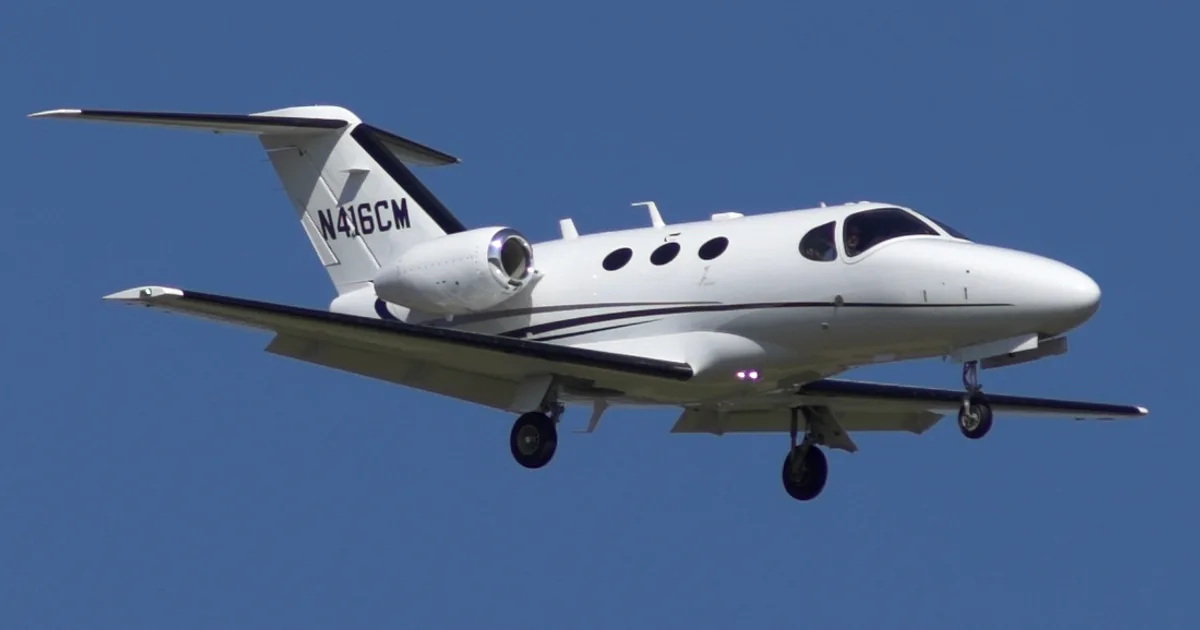
In this document
Flight Deck Overview
The Vision Jet features the Perspective Touch+ flight deck, which includes two high-resolution displays and three touchscreen controllers. This setup allows for intuitive interaction with aircraft systems, providing quick access to flight and systems information. The flight deck is designed to optimize turbine aircraft operations with a clean and ergonomic layout.
Touchscreen Controllers
The aircraft is equipped with three landscape touchscreen controllers that allow for seamless interaction with various systems. Each touchscreen can function as a Primary Flight Display (PFD), Multi-Function Display (MFD), or NAV/COM controller, enhancing the pilot's ability to manage flight operations efficiently.
Safety Features
The Vision Jet includes several safety systems, such as the Electronic Stability & Protection (ESP) system, which helps prevent stalls by providing alerts and automatic corrections. The Cirrus Airframe Parachute System (CAPS) is also standard, offering an additional layer of safety for emergency situations.
Real-Time Weather and Traffic Systems
The avionics system provides real-time weather information and a high-performance traffic system that detects up to 75 targets within a 10,000-foot vertical separation. This enhances the pilot's situational awareness and aids in avoiding potential collisions.
Autothrottle and Intelligent Automation
The Autothrottle feature allows pilots to program their flight profile, controlling airspeed with a single button. This system increases situational awareness and simplifies operations during busy terminal environments.
Safety notes
- The Electronic Stability & Protection (ESP) system assists in preventing stalls by providing alerts and automatic corrections.
- The Cirrus Airframe Parachute System (CAPS) is standard equipment for emergency situations.
Full document text
1 2 3 4 5 T H E P O W E R O F T O U C H One of the many hallmarks of Cirrus Aircraft innovation is our constant improvement of the flight experience. That’s why we partnered with Garmin® – the worldwide pioneer in GPS technology – nearly a decade ago to tailor the most sophisticated and intuitive avionics in the world. The Vision® Jet ushered in a new era in transportation with the world’s first single-engine Personal JetTM powered by Cirrus Perspective Touch® by Garmin®, a revolutionary flight deck that seamlessly connected the pilot to the flight deck through the power of touch. Now, with the Generation 2 Vision Jet, Perspective Touch+TM by Garmin® raises the bar once again by enhancing the original revolutionary flight deck with faster hardware – adding speed and space for future upgrades. You will enjoy faster start up, better screen resolution, faster panning and faster scrolling. And that’s just the beginning. 6 7 The Vision® Jet defines the Personal Jet category. Rightfully so, it has the most advanced flight deck in the world. The Vision Jet is outfitted with two high-resolution flight displays and is designed with three landscape touchscreen controllers to truly optimize turbine aircraft operations. The controllers present a familiar, intuitive interface, providing pilots quick access to detailed flight and systems information across a bright, panoramic display. The three-touchscreen layout allows for advanced interaction with aircraft systems, enhanced real-time weather, integrated weight and balance, radio tuning, cabin communication and much more. Additionally, with a single command, each touchscreen is interchangeable with the ability to function as either a PFD, MFD or NAV/COM controller. No other flight deck offers this level of integration and capability, delivered in such a clean and ergonomic cockpit layout. F L I G H T D E C K S U P E R I O R I T Y 8 9 U N R I V A L E D I N T E G R A T I O N Aircraft systems and subsystems come to life on the Perspective Touch+ flight displays as digital diagrams, tailored specifically to the design of your Vision Jet. Colorful, comprehensive synoptics connect the pilot visually with the information needed to monitor each system in real time, and to quickly identify changing aircraft conditions. Display the aircraft status page for a quick overview of your Vision Jet’s operating state, or take a closer look by selecting detailed synoptic pages. Each page can be configured for viewing in either full or split screen configurations on the flight displays. In flight, crucial systems data needs to be thorough, user-friendly and at the pilot’s fingertips. With Perspective Touch+, you’re integrated, you’re connected. 10 11 I N T U I T I V E C O N N E C T I V I T Y Connectivity is an essential part of your everyday life. FlightStream 510TM connects your Vision Jet to the wireless world, creating an extension of your network. Mobile devices automatically connect, enabling the convenient wireless transfer of your flight plan from your mobile device. Display traffic and Sirius XM weather on your mobile device and even change the XM station from anywhere in the cabin. Global datalink weather provides up-to-the-minute en route weather information, while satellite voice and text communication are available via Cirrus Global Connect. And now with FlightStream 510, you can dial satellite calls and send text messages straight from your device. 12 13 S T A L L B A R R I E R S Y S T E M The Electronic Stability & Protection (ESP) system passively and unobtrusively corrects unusual flight attitudes. It assists without distracting the pilot or degrading the flight experience. It enhances situational awareness with maximum and minimum airspeed alerts, should the aircraft approach an unsafe operating speed. Paired with the Angle of Attack indicator, the stick shaker provides a tactile, pre-stall warning by vibrating the side stick, while a stick pusher automatically “pushes” the stick forward to correct low airspeed conditions. And if your Vision Jet is equipped with optional Autothrottle, power is automatically added. With a shake and a push, automated ESP supports the pilot and prevents the aircraft from entering a stalled condition. C I R R U S A P P R O A C H T R A I N I N G S Y S T E M Every safe and successful takeoff and landing can be traced back to a previous learning interaction, either from an instructor, on a practice flight, in a ground school, or even manipulating the controls in a simulator or personal computer. At Cirrus Aircraft, we see each interaction as an opportunity to create the safest pilot possible. And to have the greatest impact on learning, the training must be impactful and of the highest quality. In that spirit, we developed Cirrus Approach™, an innovative training product designed to standardize and streamline the training experience in every Cirrus aircraft. T H E C I R R U S W A Y Safety is found in the details — by combining multiple initiatives both to minimize risk and to manage undesired states if they occur. Each initiative is a protective layer made up of innovative systems that transition from passive to redundant and then active. The Vision Jet has been designed with the occupants’ safety in mind, around a purposeful integration of many robust safety systems. U N C O M P R O M I S I N G S A F E T Y T U R B I N E E N G I N E C O N F I D E N C E The turbine powerplant looks, sounds and feels like raw power. From pressurization to electrical power to anti-icing and more, the engine is the heart of the airplane in so many ways. Cirrus Aircraft also acknowledges the importance for a reputation in reliability. This is why we have partnered with Williams International, the world leader in small turbine engines. C I R R U S A I R F R A M E P A R A C H U T E S Y S T E M Pioneering the standard in safety, and famously known as the “plane with the parachute,” Cirrus Aircraft offers its signature Cirrus Airframe
Show full textShow less
Parachute System® (CAPS®) as standard equipment in the Vision Jet. The parachute is part of a complete Cirrus safety envelope that integrates all of the Cirrus safety innovations. 14 15 16 17 Perspective Touch+ brings higher resolution and faster processing speeds to the already expansive widescreen 14-inch flight displays. Featuring split screen technology, the displays provide room for three separate vertical panes and the Engine Indication System (EIS) strip to be displayed simultaneously. The dedicated Multi-function Display allows the pilot to easily monitor integrated aircraft system synoptics: Engine & Fuel, Electrical Power, Environmental, Ice Protection, Landing Gear and General Status/Information. The added flexibility of Perspective Touch+ allows you to view various system synoptics – checklists, weather radar, moving map, traffic and more – all at once. And Synthetic Vision Technology (SVTTM) provides a “virtual reality” perspective of ground and water features, as well as obstacles and other traffic, giving you a realistic visual depiction of your surroundings. F L I G H T D I S P L A Y S P F D Use this key to navigate through the various screens in the Perspective Touch+ avionics. T O U C H S C R E E N S M F D A P 18 19 Revolutionizing the cockpit, again. Each landscape touchscreen controller is positioned to simplify interaction between the pilot and the aircraft through the intuitive layout and reduction of clutter. Responsive, icon-identified “touchkeys” make functions easy to locate, while shallow menus allow quick inputs without getting lost in the software. The addition of a third touchscreen controller enables a dedicated point of contact to control the audio/ intercom system without interrupting the progression of another task. If you prefer a more manual approach, the dual knobs can be used in lieu of the touchscreen to enter frequencies or toggle among functions. It’s touch, with a twist. T O U C H S C R E E N C O N T R O L L E R S 20 21 Supreme accuracy. Building on smart servo technology, the fully digital, dual-channel Automated Flight Control System (AFCS) delivers precise lateral and vertical navigation guidance for each phase of flight. Commanding the architecture of each flight component with an ergonomic and thoughtfully placed mode controller, the autopilot also incorporates the industry-first Blue Level Button, a Cirrus Aircraft standard since 2008. This active safety feature gives the pilot a “time out” if momentarily distracted or disoriented. This is flight deck automation you can appreciate, especially at the flight levels. D I G I T A L A U T O P I L O T 22 23 D E T E C T A B I L I T Y S I T U A T I O N A L A W A R E N E S S Tactical advantage. Synthetic Vision Technology (SVT) seamlessly blends aircraft position with 3D topographic images, while the Class B Terrain Awareness and Warning System (TAWS) provides caution and warning alerts both visually and audibly. In addition to these capabilities, the “forward-looking” terrain avoidance system warns the pilot of numerous hazards including premature and excessive rates of descent, negative climb rate or altitude loss after takeoff. 24 25 D E P E N D A B I L I T Y R E A L - T I M E W E A T H E R Informed decisions. The real-time Weather Radar scans both vertically and horizontally to give the pilot an immediate and precise weather avoidance tool. Advanced solid-state transmitter technology makes it easy for the pilot to identify storm tops and gradients; while altitude compensated tilt (ACT) automatically adjusts the beam angle as altitude changes, helping to reduce pilot workload. Plus, Weather Attenuated Color Highlight (WATCH™) predictive software can identify areas beyond the radar’s range that may contain even more hazardous areas of precipitation. Additionally, by cross-referencing with global data-link weather on the moving map, the pilot benefits from a composite view of evolving weather conditions both near and far. 26 27 A D A P T A B I L I T Y I N T E L L I G E N T A U T O M A T I O N Perspective Touch+ brings added sophistication to your Vision Jet with Autothrottle – a uniquely intuitive feature that allows you to program your entire flight profile before departure, including climbs and descents. Autothrottle controls your airspeed with the push of a single button so you can navigate a busy terminal environment during your approach. Similar to the cruise control found in your car, you can easily disengage or adjust Autothrottle at any time based on flight changes. And the added benefits of Surface Watch will help you anticipate unknown obstacles, like terrain and taxing aircraft, during your final approach. The intelligent automation in the Vision Jet will increase your situational awareness and open up a whole new flight of possibilities. 28 29 T R A F F I C A V O I D A N C E Eye in the sky. A high performance traffic system — designed for jet speeds — scans distances of 80nm and detects up to 75 targets within 10,000-foot vertical separation. The added course trend vectors help identify and track specific aircraft flight trajectories with much greater precision, while safety measures such as ATC-like aural alerts (“Traffic, Three o’clock, Same Altitude, Two Miles”) allow the pilot to keep heads- up scanning for traffic in congested areas. R E L I A B I L I T Y 30 31 C A P A C I T Y P A Y L O A D M A N A G E M E N T Smart Loading. The Weight and Balance synoptic pages make every input easy and accurate. Every gallon of fuel, seat occupied and bag stowed can be accounted for in the center of gravity calculation. This data can also be viewed on a flight display pane as a summary list, loading graphic and/or station weight calculation. 32 33 S I M P L I C I T Y L E A D I N G - E D G E T O U C H S C R E E N T E C H N O L O G Y Designed around you. The sunlight-readable high-resolution color displays use a grid of infrared beams to determine the location of your touch, for faster and more responsive data entry — even in turbulence. Additionally, each touchscreen placement gives the pilot an unobstructed view to access aircraft systems, radios and flight planning without straining. Pan and zoom. A pop-up touchpad page on the touchscreen controller gives pilots control of the map pointer on the moving map, allowing for faster and easier identification of airspace and airport information. Navigate and control the moving map with simple finger gestures. Fingertip Control. The icon-based user interface on the touchscreen controllers presents pilots with the same understanding they have with their smartphones and tablet devices by including the optional QWERTY keyboard layout. The full keyboard makes data entry more efficient thus eliminating the “hunt” for the right key during a critical phase of flight. Perspective Touch+ — embracing the spirit of innovation and technology. 34 35 36 37 Specifications, weights, representations, colors, list of equipment, use of materials and mode-l references, are not warranted or guaranteed to be true or accurate. Actual Useful Load will vary depending on options installed on the aircraft. Always consult specific aircraft weight and balance data for flight planning. The pictures contained on this website and/or brochure of specific models or other products may contain optional equipment or nonstandard features, which even if available, may be at an additional cost. You may rely only upon statements and representations contained in actual contracts that you enter into with Cirrus Design Corporation Materials outside of the contract, such as may be contained on this website and/or brochure, are not to be considered part of, inducement for, or given in reliance on, when you enter into any contract or agreement with Cirrus Design Corporation. Prices are subject to change without notice. Referenced Cirrus trademarks are owned by Cirrus Industries, Inc. or its subsidiaries. All other brands, product names, company names, trademarks and service marks are the properties of their respective owners. All rights reserved. ©2019, CIRRUS DESIGN CORPORATION D/B/A CIRRUS AIRCRAFT. ALL RIGHTS RESERVED. 38
What's in the Cirrus SF50 Vision Jet TCDS
A Type Certificate Data Sheet (TCDS) is the FAA's record of what an aircraft type was approved as. It is the source of truth for weights, seating, fuel and the rules the design was certified against. Expand any line to see what it means.
347 Cirrus SF50 Vision Jet parts for sale
See all →
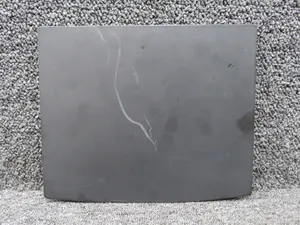
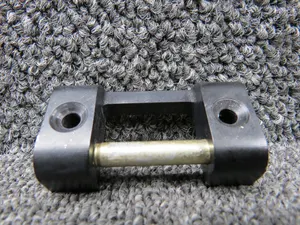

Parts listed for sale by vetted eBay sellers — confirmed on eBay at checkout.